ProprioType
Control your Mac from Apple Vision Pro using only your hands.
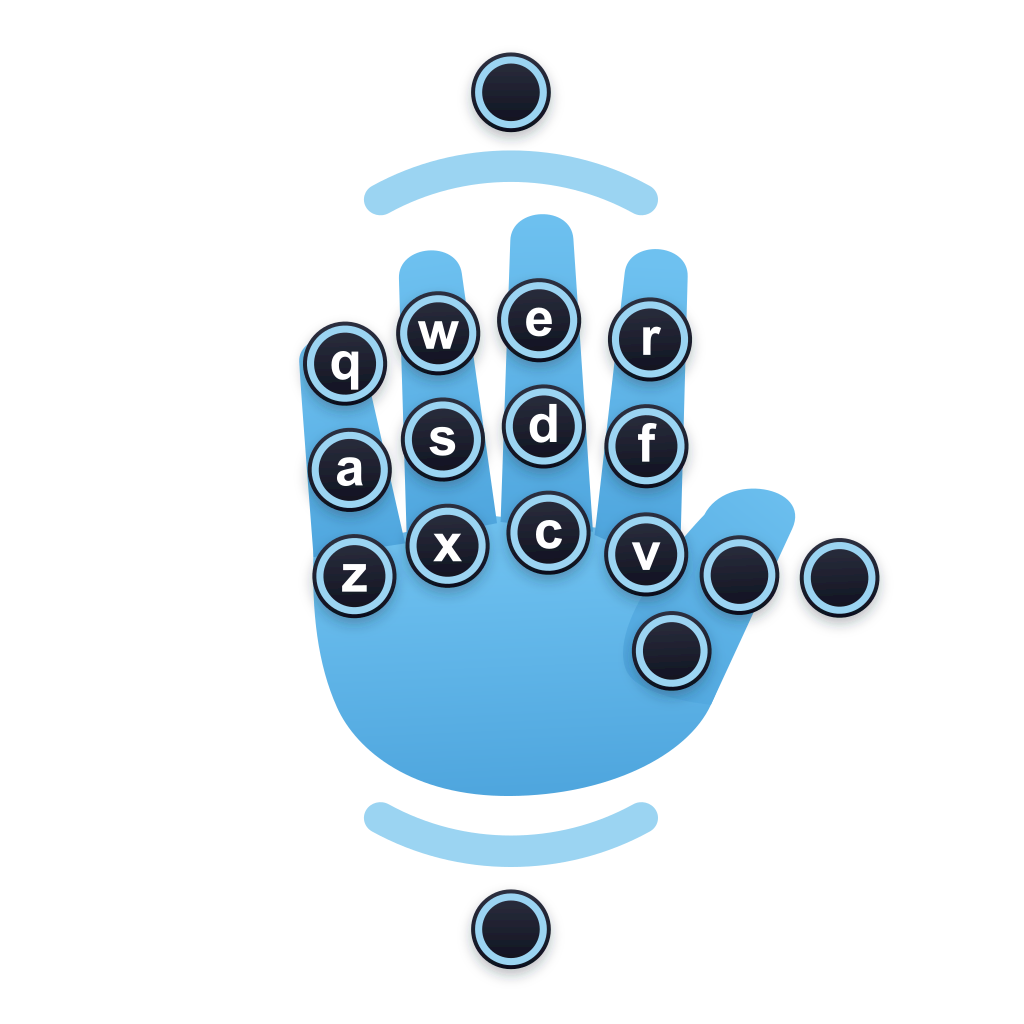
Point, tap, and type in midair
Use the virtual trackpad to control the pointer, then type on a virtual keyboard that follows your hands. No keyboard, mouse, or physical surface required.
Available on the App Store
Download ProprioType for Apple Vision Pro from the App Store. The built-in text editor demo lets you try the interface and create custom hand-key layouts without connecting to a Mac.
Mac connectivity is available through an in-app purchase.
Private by design
Screen content, audio, and input travel only over an encrypted local connection between your Vision Pro and Mac.
Customization
Adjust key sensitivity, gesture timing, hand-key size, and key labels. Remap keys and rearrange the hand-key layouts.
Customize the toolbar below the display. Share the Vision Pro’s Persona and microphone with your Mac for video calls and dictation.
Mac connection requirements
To connect to a Mac, you need:
- Apple Vision Pro with visionOS 26.4 or later
- ProprioType Host installed on a Mac with macOS 26.0 or later
- Both devices on the same local network
For best performance, connect the Mac over Ethernet and keep the Vision Pro near your Wi-Fi router.
Install ProprioType Host for Mac
ProprioType Host is the companion Mac app required to connect your Vision Pro to a Mac. Download the disk image, drag ProprioType Host to Applications, and open it.
After opening it for the first time, ProprioType Host guides you through setting up permissions for Local Network, Screen Recording, and Accessibility.
Support
Visit the support page or email support@propriotype.com.